
Tubi: Free Movies & Live TV
Tubi TVEntertainment
4.9658.12K Reviews
- Version
- Varies With Device
- Installs
- 100.00M
- Age Rating
- Teen
Screenshots
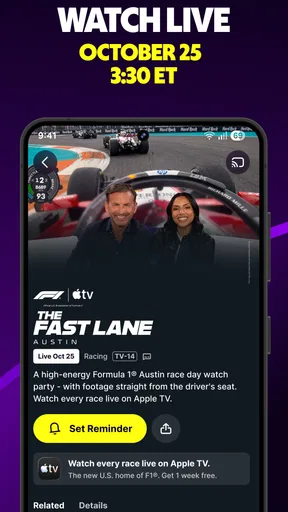
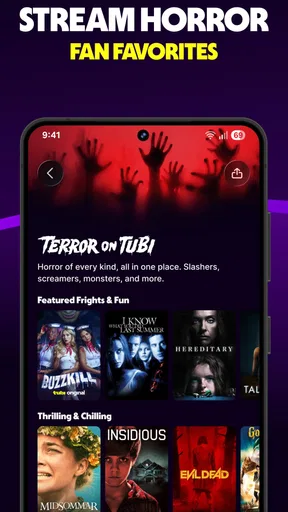
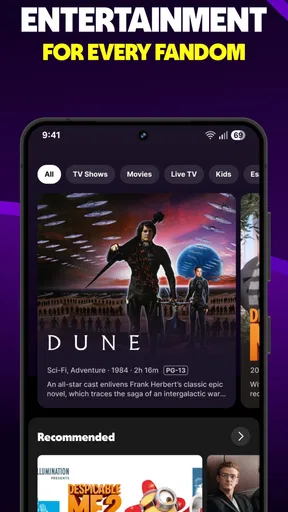
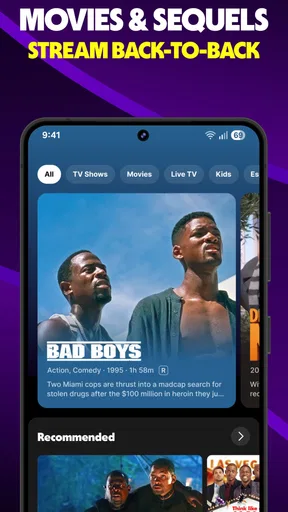

Our Review of Tubi: Free Movies & Live TV
 Analysis by Appyee
My first impression of Tubi: Free Movies & Live TV was that it removes the usual commitment from choosing something to watch. I can open it without signing up for another paid entertainment plan and browse until a title catches my eye. That low-pressure start is its strongest first-week appeal: it feels useful before I have built a watchlist or learned my way around. After the novelty wears off, though, the real question is whether its free, ad-supported mix becomes a dependable part of my routine rather than just a place I visit when I’m curious.
A low-commitment first week
As an entertainment app from Tubi TV, it is easy to test alongside the services I already use. I don’t have to treat every viewing session as a decision about whether another subscription is worth keeping. The free model makes casual browsing feel natural: I can look for a comedy while dinner cooks, or check for a film when a paid service’s catalogue feels stale. Its audience is broad, and the Teen content rating is a helpful reminder that families should still check individual titles rather than assume every choice suits every viewer.
The first few sessions are best approached as browsing, not as a hunt for one exact blockbuster. I’ve found that the appeal is the possibility of turning up a familiar film or an unfamiliar pick, especially when I’m open to changing my mind. If I already know precisely what I want and expect it to be available on demand, a service built around a particular franchise or a paid catalogue I already follow may be a more direct route.
Useful in ordinary viewing routines
A realistic use is the unplanned hour at home: I have finished what I was watching elsewhere, don’t want to pay for another service, and want something easy to put on. Tubi fits that gap. It also works for a shared room where people can browse genres and collections together instead of negotiating a long list of subscriptions. I would use it as a supplementary option, not assume it will replace a service chosen for a particular show or a carefully planned watchlist.
One small but worthwhile habit is to browse when I have time, then remember a few candidates for later rather than opening the app only when everyone is waiting. Free catalogues can be broad without making the exact next choice obvious, and choice itself can become a bit of work. A quick scan of a genre or a collection is more useful than endlessly scrolling across categories. If I’m watching with someone else, I find it helps to agree on a mood first—funny, tense, or familiar—so the breadth becomes a benefit rather than a debate.
Why Tubi Might Just Be Your New Best Friend
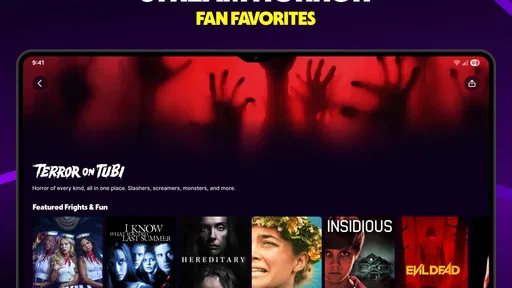
First things first, Tubi is totally free. Yep, you heard that right. No sneaky subscription fees lurking around the corner. It’s perfect for those of us who are tired of juggling multiple streaming accounts. With a massive library of movies and TV shows, there’s always something to watch. Whether you’re into classic films, cult favorites, or even some hidden gems, Tubi’s got you covered.
Content Galore
So, what’s the catch? Well, the app is ad-supported, which is how they keep everything free. But honestly, it’s a small price to pay for the sheer amount of content available. From action-packed thrillers to laugh-out-loud comedies, the variety is pretty impressive. I’ve found myself discovering old favorites and stumbling upon new ones I’d never heard of before.
Ads, habits, and the trade-off
For me, the recurring value depends on how I feel about interruptions. Ads are the price of using a free service, so I wouldn’t choose it when I want a completely uninterrupted film night. Instead, I treat it as a flexible option for a casual episode, a rewatch, or background viewing where a pause for advertising is less annoying. If I’m deeply invested in a story and want a smooth, uninterrupted session, a paid service may suit that mood better.
It helps to set expectations before pressing play. This isn’t the same bargain as a subscription with no ad breaks; it’s a different exchange, where I keep the cost at zero and accept interruptions. That distinction matters more over time than it does on the first evening. If the ads regularly break the mood for you, the free price may not compensate. If you already watch casually and can tolerate breaks, the trade can feel reasonable.
User Experience
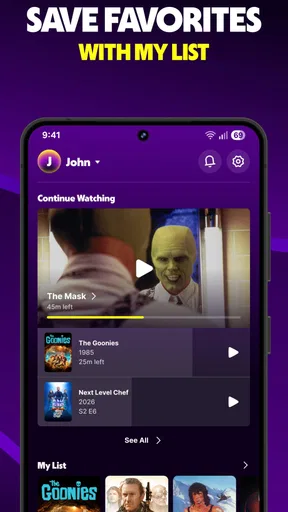
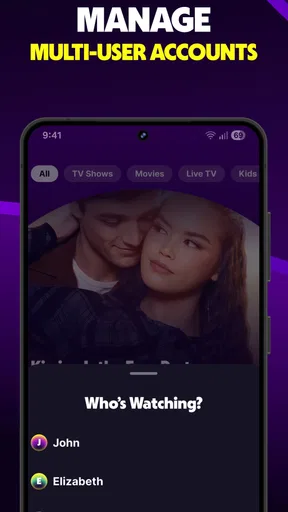
Now, let’s talk about the user interface. It’s straightforward and easy to navigate, which is a huge plus in my book. You can browse by genre, check out what’s trending, or even explore curated collections. The app also offers personalized recommendations based on your viewing habits, making it even easier to find something you’ll love.
Recommendations are most helpful as a starting point, not a promise that every suggestion will match my taste. I use them to surface possibilities, then check the title itself before settling in. That little pause is useful when watching with other people, because a recommendation shaped by one person’s viewing can be a poor fit for the whole room. Browsing by genre or a collection gives me a more deliberate route when I already know the kind of evening I want.
Live TV and More
Oh, and did I mention the live TV feature? That’s right, you can catch live news, sports, and even some reality TV. It’s like having a little bit of cable without the hefty bill. The quality of the streaming is pretty solid too—I haven’t experienced any buffering issues, which is always a bonus.
Live channels serve a different purpose from picking a particular film: they are useful when I want something on without making another decision, or when I’m in the mood to dip into a program already underway. I wouldn’t treat that as a substitute for a specific event or a guaranteed way to find one exact program. For planned viewing, browsing the movie and show catalogue makes more sense; for casual channel-hopping, live TV gives the app another role in the evening.
Keeping it useful month to month
At the time of writing, the app has a 4.9 average from around 2.4 million ratings, and it has passed 100 million installs. Those figures suggest that free viewing has wide appeal, but they don’t tell me whether it will fit my own habits. I judge that by whether I return when I’m not simply curious: can I find something suitable for a quiet night, a quick break, or a shared watch without spending ages deciding?
For a lasting place on my phone, an app needs to earn its keep through repeat use, not just a large catalogue. Tubi’s advantage is that I can keep it available as a second destination for when my usual paid options don’t fit the moment. It doesn’t need to replace those services to be worthwhile. If I regularly find a title that suits an unplanned evening, the free access makes that modest role easy to justify.
Maintenance without much commitment
The practical burden is light in one important sense: there is no subscription to manage just to keep the app available as an option. Tubi is free, and it runs on Android with a minimum operating-system requirement of Android 9. I’d check that compatibility before trying to install it on an older device. The app was released on September 19, 2014, so it has been around long enough to become a familiar name in free streaming, though its age alone doesn’t tell me whether a particular device or connection will perform well.
Keeping the app useful is mostly about managing my own attention. I don’t need to browse every time I open it; if I’m short on time, I pick a familiar genre or let a live channel provide something casual. When I have a longer window, I explore collections and recommendations. That simple split keeps the catalogue from feeling like another chore and helps me avoid spending more time choosing than watching.
Where viewing can become tiring
The same breadth that makes the service fun to explore can also create fatigue. A large selection is not automatically a shortcut to the right choice, and a title that looks promising may not suit the mood I’m in. Ads add another source of friction, especially during a serious film or when the room is already distracted. I would skip this as my main option if uninterrupted playback is essential, if I want one particular title above all else, or if advertising quickly ruins a viewing session for me.
There are also situations where another type of service is a better match. A paid subscription can make more sense for someone who wants a specific exclusive series, a carefully curated catalogue, or fewer ad interruptions. A service focused on a particular channel or franchise may be quicker when I already know exactly what I want. Tubi is strongest when I’m flexible and willing to explore; it is less compelling when the evening depends on finding one exact title immediately.
My practical tip is to treat it as a complement rather than a replacement. Keep it in mind for the night when you don’t want to add another bill, but choose a different service when your plans depend on a particular show or uninterrupted viewing. If you share the app, decide on a genre before browsing and check that the selected title suits everyone watching. Those small choices make its variety easier to enjoy and reduce the chance that the session turns into a long search.
Final Thoughts
All in all, Tubi: Free Movies & Live TV is a fantastic option for anyone looking to expand their entertainment horizons without breaking the bank. It’s easy to use, has a ton of content, and best of all, it’s free. So go ahead, give it a download, and let the binge-watching begin!
My long-term verdict
I’d keep it installed if I wanted a no-cost fallback for casual films, shows, and channel browsing, and if I were comfortable with ads as part of the deal. Tubi TV has made an entertainment app that can earn repeat visits without demanding that I reorganize my subscriptions around it. Its value is not that every session will deliver a perfect pick; it’s that I can open it when I’m flexible and see whether something fits.
If your viewing is built around a fixed list of must-watch releases, or you strongly dislike advertising, you may not return often enough for it to deserve a place in your routine. But for budget-conscious viewers who enjoy stumbling across older favourites and unexpected choices, the low-commitment format can remain useful well after the first week. That is where I think it earns its space: not as a universal replacement, but as an easy extra option for the evenings when curiosity matters more than control.
Privacy and Permissions
See what permissions an app requests and how it handles your data.
- Location
- approximate location (network-based), precise location (GPS and network-based)
- Photos/Media/Files
- read the contents of your USB storage, modify or delete the contents of your USB storage
- Storage
- read the contents of your USB storage, modify or delete the contents of your USB storage
- Camera
- take pictures and videos
- Microphone
- record audio
- Wi-Fi connection information
- view Wi-Fi connections
- Other
- view network connections, pair with Bluetooth devices, access Bluetooth settings, allow Wi-Fi Multicast reception, full network access, control Near Field Communication, run at startup, control vibration, prevent device from sleeping
Verdict
Strengths of Tubi: Free Movies & Live TV
- Extensive library of free content.
- No subscription required to watch.
- User-friendly interface.
- Supports multiple devices.
- Regular updates with new titles.
Limitations of Tubi: Free Movies & Live TV
- Contains frequent ads during shows.
- Limited offline viewing options.
- Some content is region-locked.
- No premium subscription for ad removal.
- Requires internet for streaming.
Similar Picks in This Category
View All
Google Play Games
Google LLC3.9

Netflix
Netflix, Inc.4.8

YouTube Kids
Google LLC4.2

Disney+
Disney4.4

Prime Video
Amazon Mobile LLC4.7

Steam
Valve Corporation3.2
You May Also Like
View All


Frequently Asked Questions
What is Tubi and how does it work?
Tubi is a free streaming service that offers a wide range of movies and TV shows. Unlike other platforms, Tubi doesn’t require a subscription. Instead, it generates revenue through ads, which allows users to access content for free. Simply download the app, create an account, and start watching instantly.
Is Tubi really free to use?
Yes, Tubi is completely free to use. The platform is ad-supported, meaning you will encounter commercials during playback, similar to traditional TV. However, there are no hidden fees or subscription costs, making it an accessible option for those who want to enjoy movies and TV shows without paying a monthly fee.
What kind of content is available on Tubi?
Tubi offers a diverse library of content, including classic films, popular TV series, and a variety of genres like action, comedy, drama, and documentaries. Although it doesn’t have the latest releases, its extensive catalog ensures there’s something for everyone, including a selection of family-friendly content.
Can I watch Tubi on multiple devices?
Yes, Tubi is available on a wide range of devices. You can watch on smartphones, tablets, smart TVs, streaming devices like Roku and Amazon Fire TV, and even on your computer via web browsers. This flexibility allows you to enjoy your favorite content wherever you are.
Is an internet connection required to use Tubi?
Yes, an internet connection is essential for streaming content on Tubi. As it’s a streaming service, you need a stable connection to watch movies and shows. While offline viewing isn’t currently supported, you can stream over Wi-Fi or mobile data as long as you have internet access.
